
2026 · Full Stack
MISA Passport
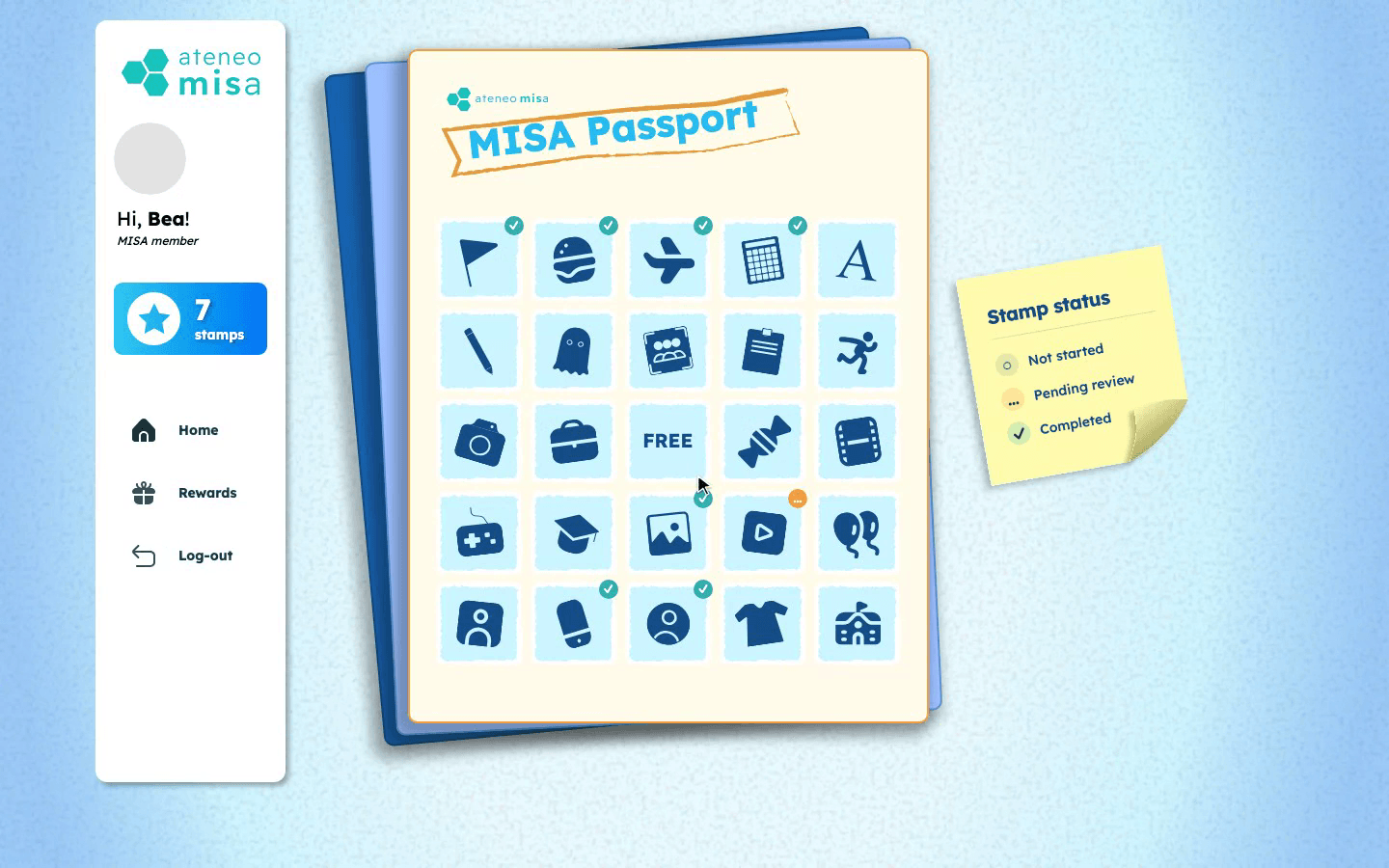
A digital stamp card for MISA members: photo proof goes to HR for review, event attendance awards stamps automatically, and stamps count toward semester-end prizes.
Passport is only open to signed-in MISA members, so the screens below come from a recorded walkthrough.
- Role
- Lead developer on a student team
- Context
- MISA · member participation tracker for HR
- Timeline
- Sep 2026 to present
- Result
- Member app plus HR tools for review, attendance, and rewards
Problem
MISA's HR team wanted a way to count each member's participation across the school year. Some activities, like attending an event, already had attendance records. Others, like taking a photo with your mentor at the Leong Hall wall, could only be proven with a photo that someone had to check.
Approach
We built a bingo-style passport where each activity is a stamp. Members sign in with their Ateneo Google account, tap an activity, and upload a photo with a short note; HR approves or rejects it from an admin queue. For events, HR uploads the attendance export from MISA's registration system, previews which members match, and awards the stamps in one step. Stamps count toward semester-end prizes that HR publishes in a rewards catalogue.
Key decisions
Attendance imports that can't award a stamp twice
Uploading an attendance file only saves a preview: the server checks every row and shows which members matched and why the rest were skipped. Confirming rechecks eligibility and awards all stamps in one atomic step, so retrying or uploading overlapping files never duplicates a stamp. Rows match on student ID (keeping leading zeroes), never on names, and an import can never create or edit a member.
Guarding the file upload
Imports accept a single event's CSV or XLSX export, capped at 1 MiB and 500 rows. XLSX files are ZIP archives, so the parser also caps the unzipped size and entry count to reject files built to expand into something huge.
Photo proof with a person in the loop
Proof photos upload straight to Cloudflare R2, and the activity shows as pending until HR approves or rejects it. Members see the outcome on their card, so a rejected photo can be resubmitted without asking HR what happened.
Sign-in limited to the roster, with a fallback
Google sign-in only admits addresses on the imported member list. Some members couldn't use Google sign-in on their accounts, so I added a fallback that emails active members a one-time sign-in code.
Tradeoffs
HR picks the winners, not the app
The rewards catalogue shows prizes and how many are left, but it doesn't rank members or hand out prizes. HR decides from the semester's stamp totals, which keeps judgment calls with people and kept the first release simpler.
No undo for confirmed imports
Once HR confirms an attendance import, the app can't reverse it. The preview step, with a reason for every skipped row, is there to catch mistakes before anything is awarded.
Data cleanup is still manual
The privacy notice promises that proof photos and import files are deleted after the academic year. A scheduled cleanup job isn't built yet, so HR has to do this by hand for now.
Outcomes
- Shipped the member app and HR's admin tools: the stamp card, photo review, attendance imports, a rewards catalogue, and per-member progress.
- 90+ automated tests cover attendance parsing and imports, sign-in, and member progress.
- Added a privacy notice, consent, and a profile page where members can request deletion of their data.
Stack
- Next.js
- TypeScript
- Convex
- Better Auth (Google)
- Cloudflare R2
- Tailwind CSS
- Vitest