
2026 · Full Stack
MISA Project Management
Five officer handbooks, 180+ pages in all, turned into one searchable site for MISA's Core Team, with Google sign-in controlled by the officers' own roster sheet.
Live site (members only)The live tool sits behind MISA's member sign-in, so the screens below show it in use.
- Role
- Lead developer on a student team
- Context
- MISA · internal tool for the Core Team
- Timeline
- Jul 2026 to present
- Result
- 5 handbooks, 110+ topics, 100+ linked resources
Problem
Each MISA cluster kept its officers' guide as a long PDF: 80 pages for Events, 57 for OSG, and more for Marketing, OET, and HR. New officers had to know which handbook to open, then search inside it. Forms and templates lived in Google Drive with their own permissions, and parts of the handbooks (budgets, contacts, internal procedures) could not be posted publicly.
Approach
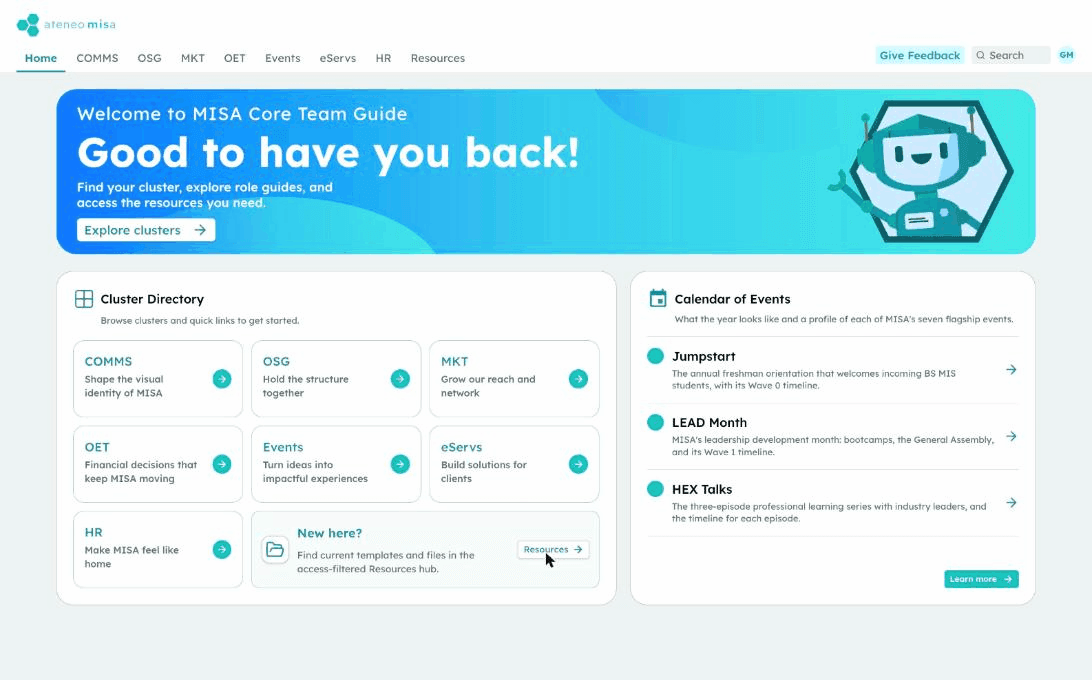
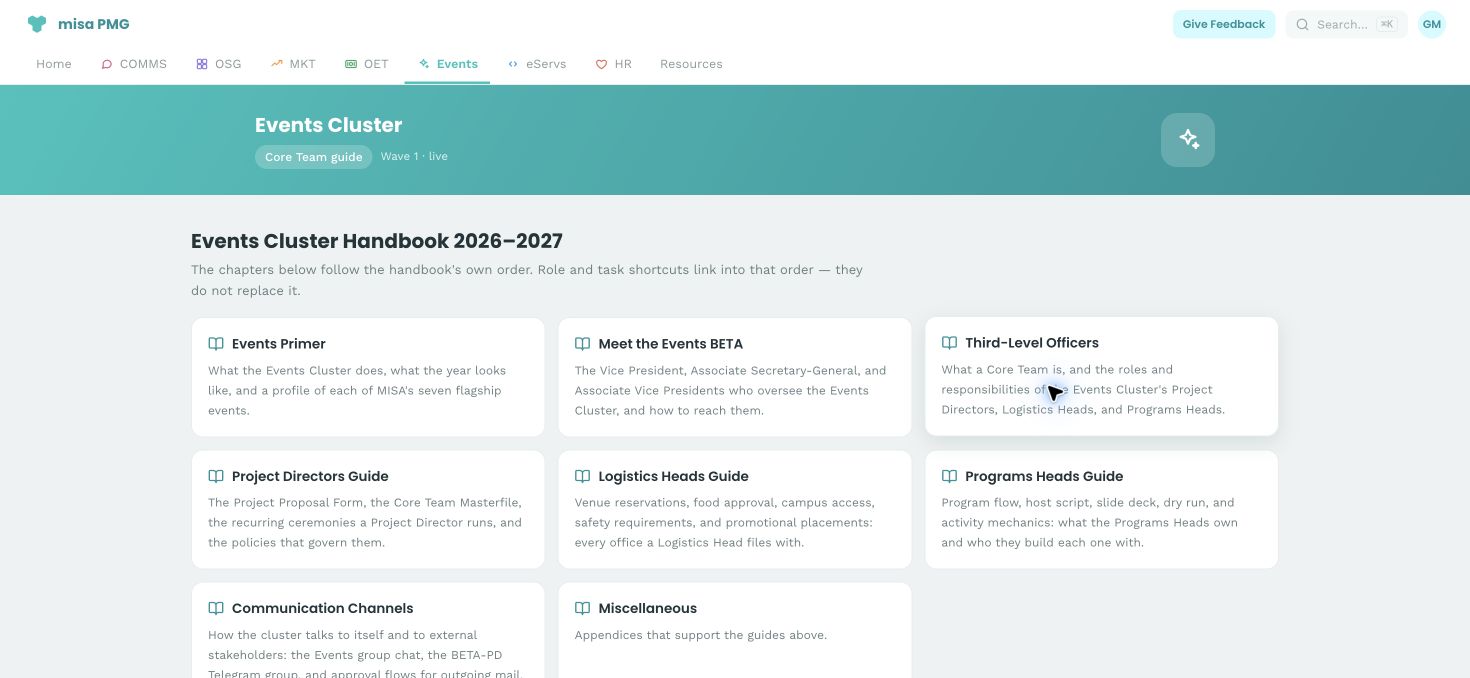
I led the build of one guide site for MISA's Core Team. Each handbook became web pages organized by cluster and task, with "I need to…" shortcuts into the right section and a ⌘K search across every guide. Officers sign in with their Ateneo Google account, and the roster they already keep in Google Sheets decides who gets in. Forms and templates stay in Drive and are linked rather than copied, so Drive permissions still apply. Cluster officers edit content themselves through a CMS, and each save redeploys the site.
Key decisions
The officers' roster sheet controls access
I rejected a shared password. The Core Team roster already lived in a Google Sheet, so I made that sheet the source of truth: a Convex job syncs it every five minutes, deleting a row revokes access, and the sync refuses to apply an empty roster so one bad edit can't lock everyone out. Every route checks access on the server and denies by default if the check fails.
Keeping private content out of public files
Guide content is server-only and rendered per request, and handbook images are served through a signed-in route. A build step scans the public static files for known private text and fails the build if any appears. During review I also found a backend function that anyone with the public backend URL could call to grant themselves access, and made it internal-only.
Officers edit content without touching code
I set up Keystatic so cluster officers can edit their guides in the browser. Each save is a commit to the repository, and validation checks routes, links, and resources before the site redeploys. Pages never call the CMS at runtime, so an editor outage cannot take the guide down.
Splitting work for newer developers
For the homepage redesign I built the shared layout and components first, then split the designer's mockup into beginner-sized sections for two newer developers, with setup and pull-request guides. I reviewed and merged their work.
Tradeoffs
Linking to Drive instead of re-hosting files
Officers leave the site to open a form or template. In exchange, Drive stays the single place that decides who can see each file, and the site never holds a stale copy.
Rendering private pages per request
Static pages would load faster, but they could end up in files anyone can download. Rendering per request after the access check is slower but keeps private content behind the sign-in.
Rebuilding handbook diagrams as HTML
Rebuilding the money-flow and process diagrams as HTML took longer than embedding screenshots. The rebuilt versions can be searched, read with a screen reader, and used on a phone without horizontal scrolling.
Outcomes
- Turned five cluster handbooks (180+ pages) into one site with 110+ guide topics and 100+ linked resources.
- Access is managed from the officers' existing roster sheet; removing someone's row removes their access within five minutes.
- 360+ automated tests cover access rules, content validation, and search.
Stack
- Next.js
- TypeScript
- Convex
- Convex Auth (Google)
- Keystatic
- MDX
- Google Sheets API
- Vitest
- Vercel